

Unified Communications Made Easy

Phone, video and messaging on one platform.

Ameeting is Ambit’s fully managed UCaaS platform. Voice, video, chat, screen sharing and mobile softphones sit in one dashboard, supported by the same U.S.-based team that runs your phones.

FCC-licensed carrier. 100+ features. 24/7 U.S.-based support.

A SMARTER WAY TO COMMUNICATE

Your business runs on conversations

Your business runs on conversations with customers, vendors and team members. Ameeting makes those conversations easier, clearer and more productive. It combines VoIP calling, video conferencing, call panels, chat, screen sharing and mobile softphones, so your team stays connected wherever they work.

Whether you are a city office with five departments or a growing company with multiple locations, Ameeting adapts to how you work.

WHY TEAMS CHOOSE AMEETING

One platform instead of a patchwork

All-in-one communication

Voice, video, chat and collaboration tools live in one dashboard. No more juggling separate apps and vendors.

Flexible features

From smart call routing and voicemail-to-email to detailed queue dashboards, you get 100+ features without needing an IT department to run them. Ambit manages the platform.

Hosted with redundancy

Ameeting is hosted off-site with built-in redundancy, so the platform stays online. If your office loses internet, staff on the mobile app stay reachable, and cellular failover keeps desk phones making outbound calls.

Mobile ready

The Ameeting softphone app puts your full office extension on your smartphone or tablet.

U.S.-based support

AmbitCare, our in-house support team, knows your system and answers the phone when you call, 24/7.

Built to scale

Whether you have five users or five hundred, add users, conference rooms and call queues in a few clicks, with no hardware upgrades.

COLLABORATION

Meet, share and work together

Ameeting Unified Communications Video Conference

Video conferencing

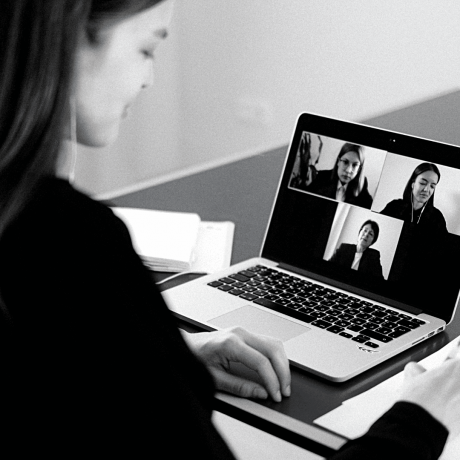
Ameeting makes video conferencing easy to use and reliable, so remote collaboration works for the modern workplace.

Ameeting Unified Communications Video

Screen sharing

Share content on screen for real-time collaboration, which keeps projects and conversations moving.

Ameeting Unified Communications Screen Share and Collaboration

Collaboration tools

Presenter switching, joint annotation, co-browsing and document review let teams work through material together.

A COMPLETE COMMUNICATIONS HUB

High-performance call panel

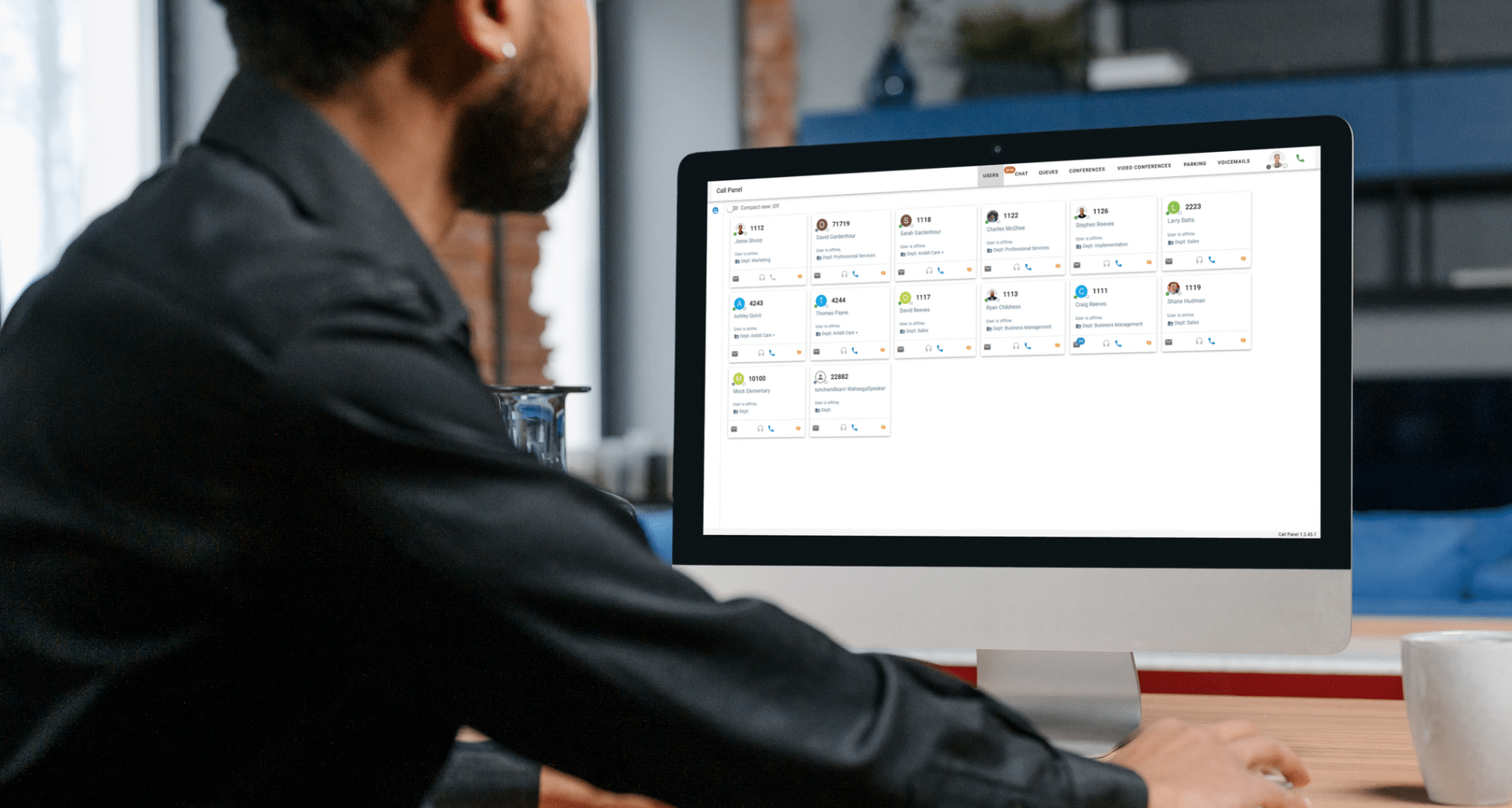
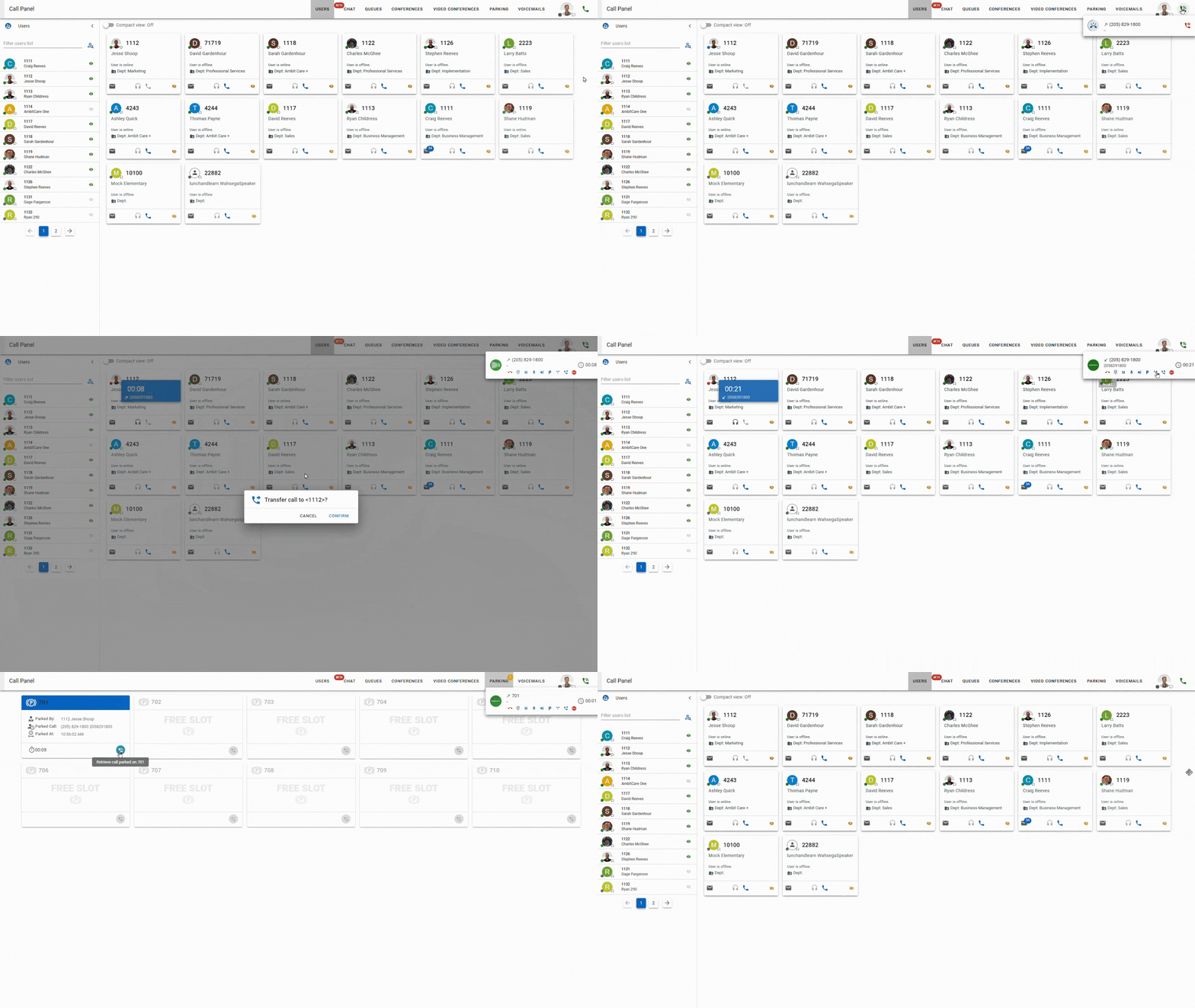
The call panel shows what is happening on your system in real time: active calls, who is in a conference room, and who is waiting in a queue and for how long. One-click dial, drag-to-transfer and the rest of your daily tools sit in the main navigation bar at the top of the screen.

Ameeting Unified Communications Call Panel
Ameeting Unified Communications Call Panel Full Screen Demo 2

User features

  • Add and remove users
  • See current user status
  • Access voicemail
  • Listen to an active call
  • Personal and company contacts
  • Video conferencing
  • Screen sharing
  • Chat
  • Presenter switching
  • Collaborative document review

Settings

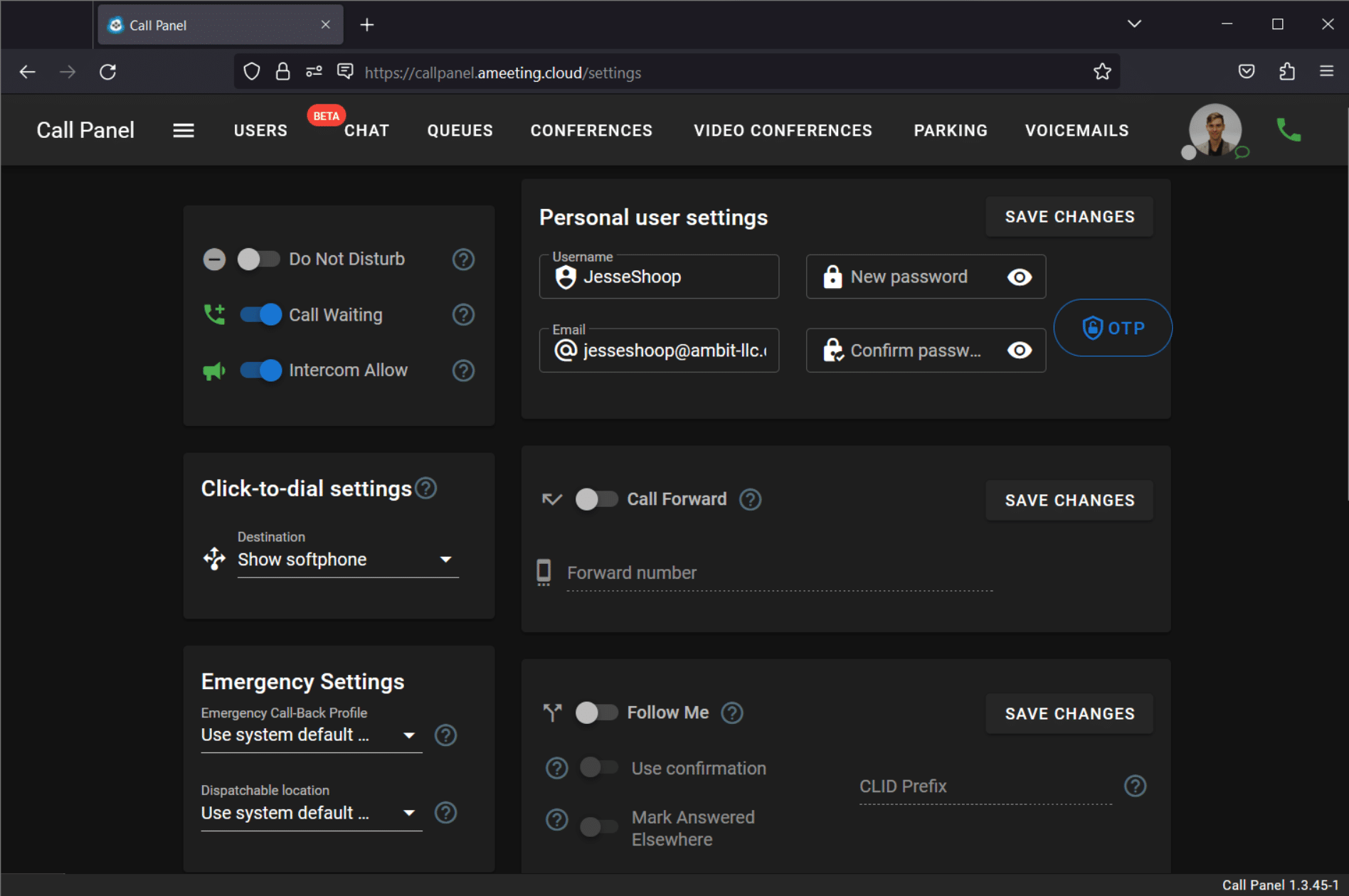
  • Call forward
  • Follow me
  • Do not disturb
  • Call waiting
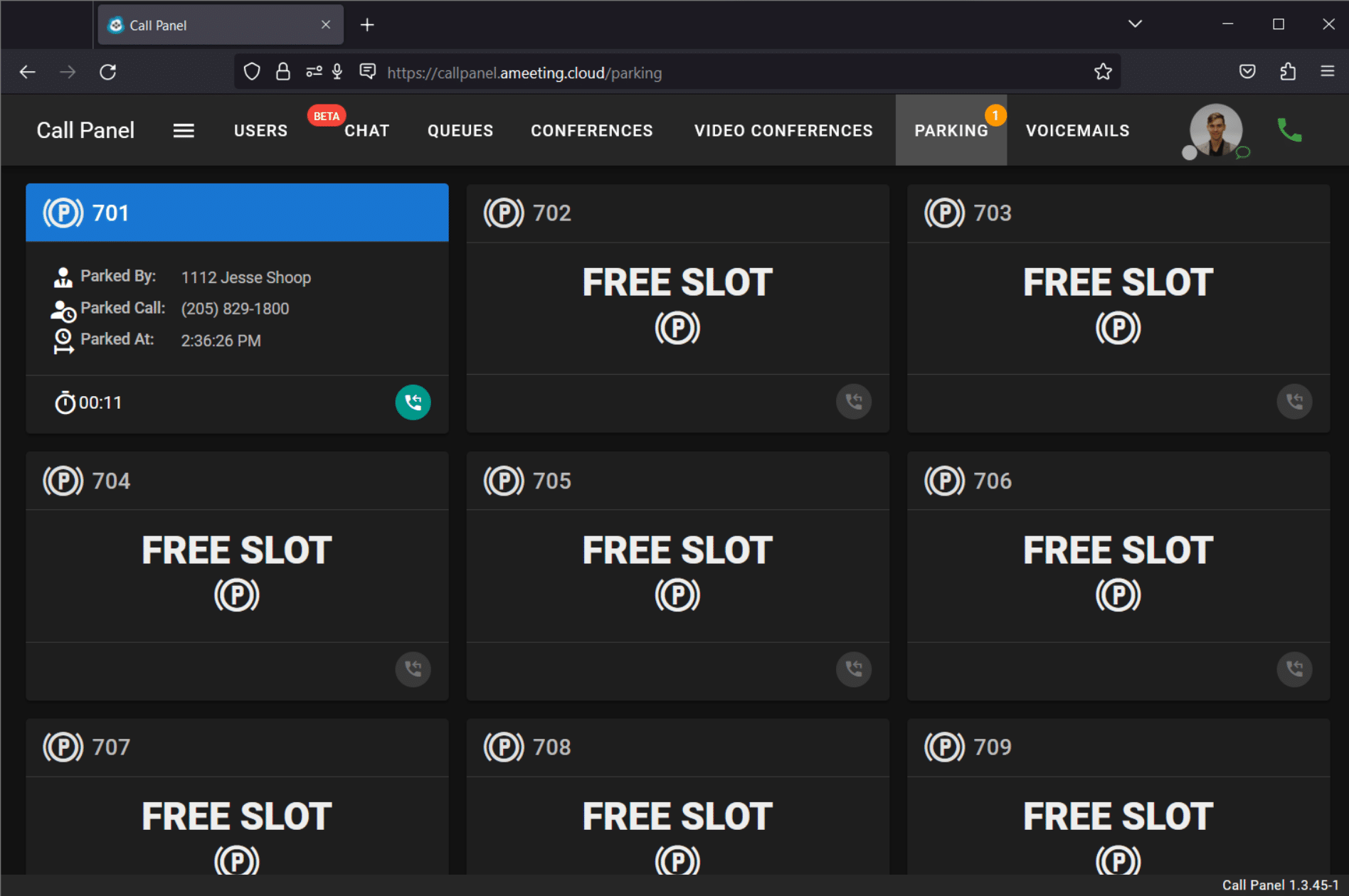
  • Call parking

Queues

  • Management of queues
  • Queue statistics
  • Viewing a queue
  • Agent pause and unpause with status codes

Voicemail

  • Check voicemail
  • Manage options
  • Change settings
  • Record greeting

Softphone

  • Dialpad to make calls
  • Access voicemail
  • Call history
  • Manage an active call
CONNECTION A CLICK AWAY

A closer look at Ameeting

Ameeting Unified Communications Call Queue

Monitor and manage call queues

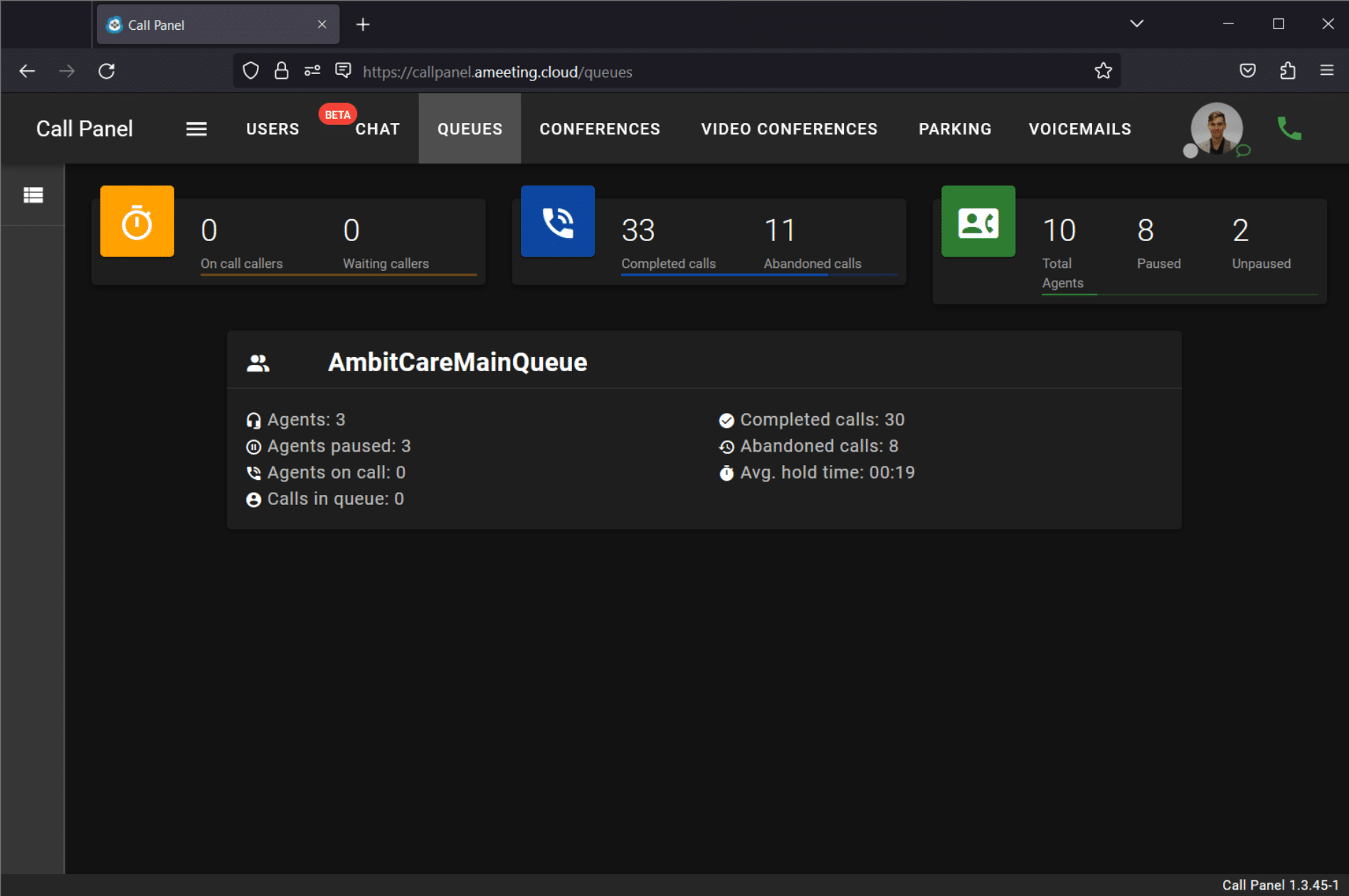
Get an overview of your contact center operations with queue management and call statistics. Control agent availability, including pausing and unpausing from queues and muting and unmuting callers.

Ameeting Unified Communications Conference Rooms

Conference room management

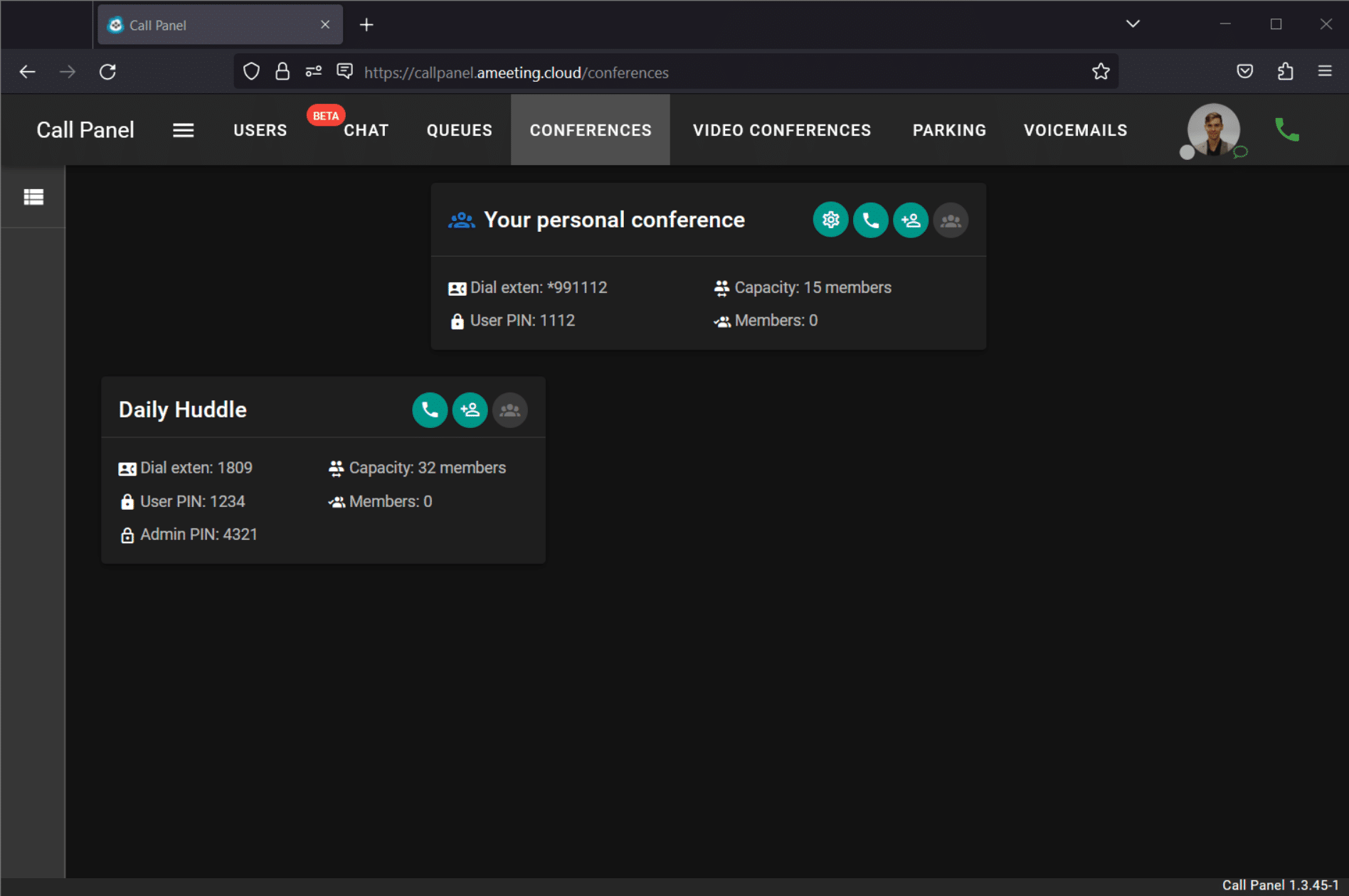
Customize your conference room plan, add or remove rooms, and edit display card information so every conference starts smoothly.

Ameeting Unified Communications CDR

Call detail records

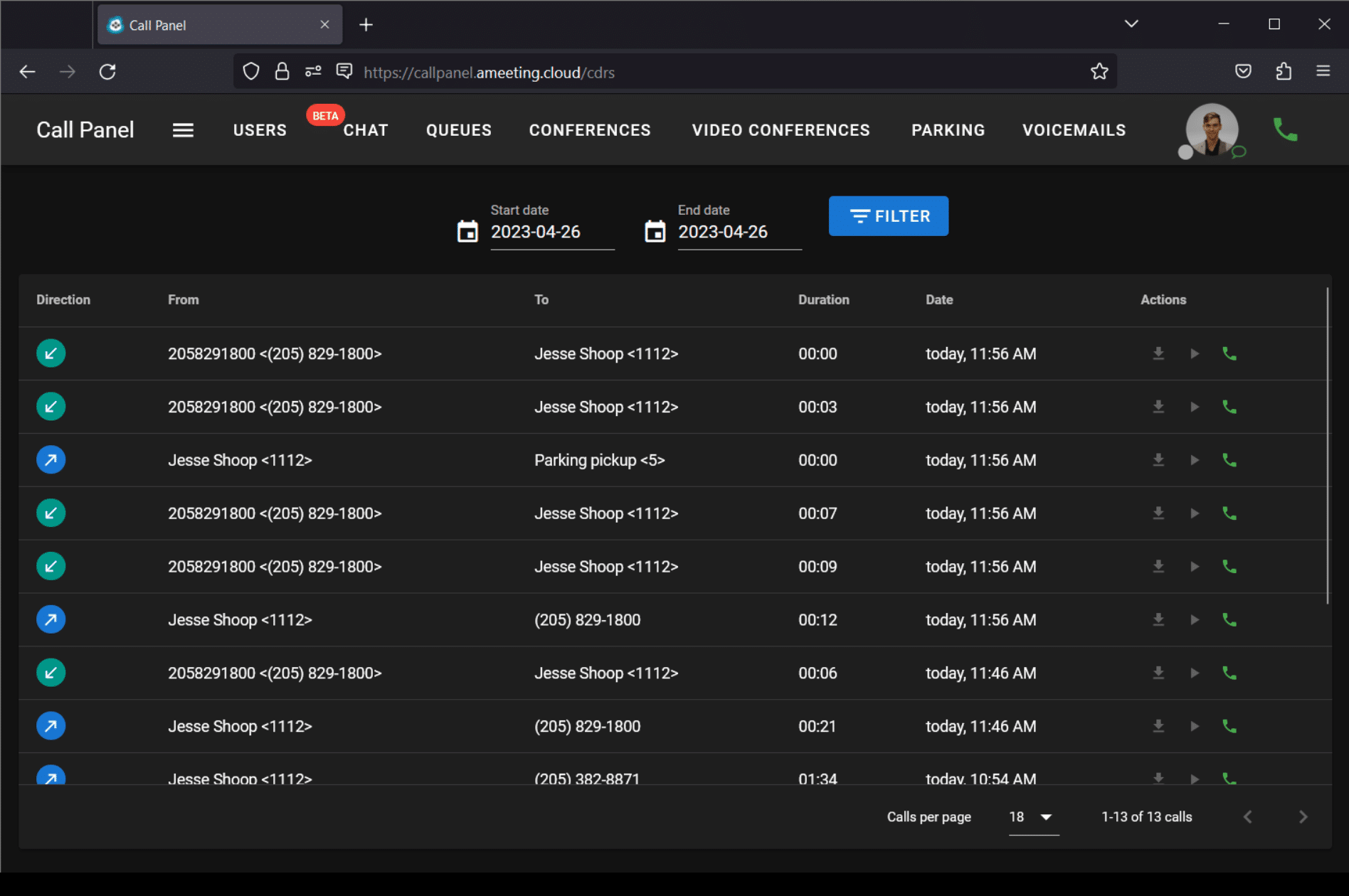
Monitor inbound and outbound calls live, generate reports, track metrics, set goals and supervise agent callbacks. Call records also improve reporting and billing.

Ameeting Unified Communications Desktop Softphone

Desktop softphone

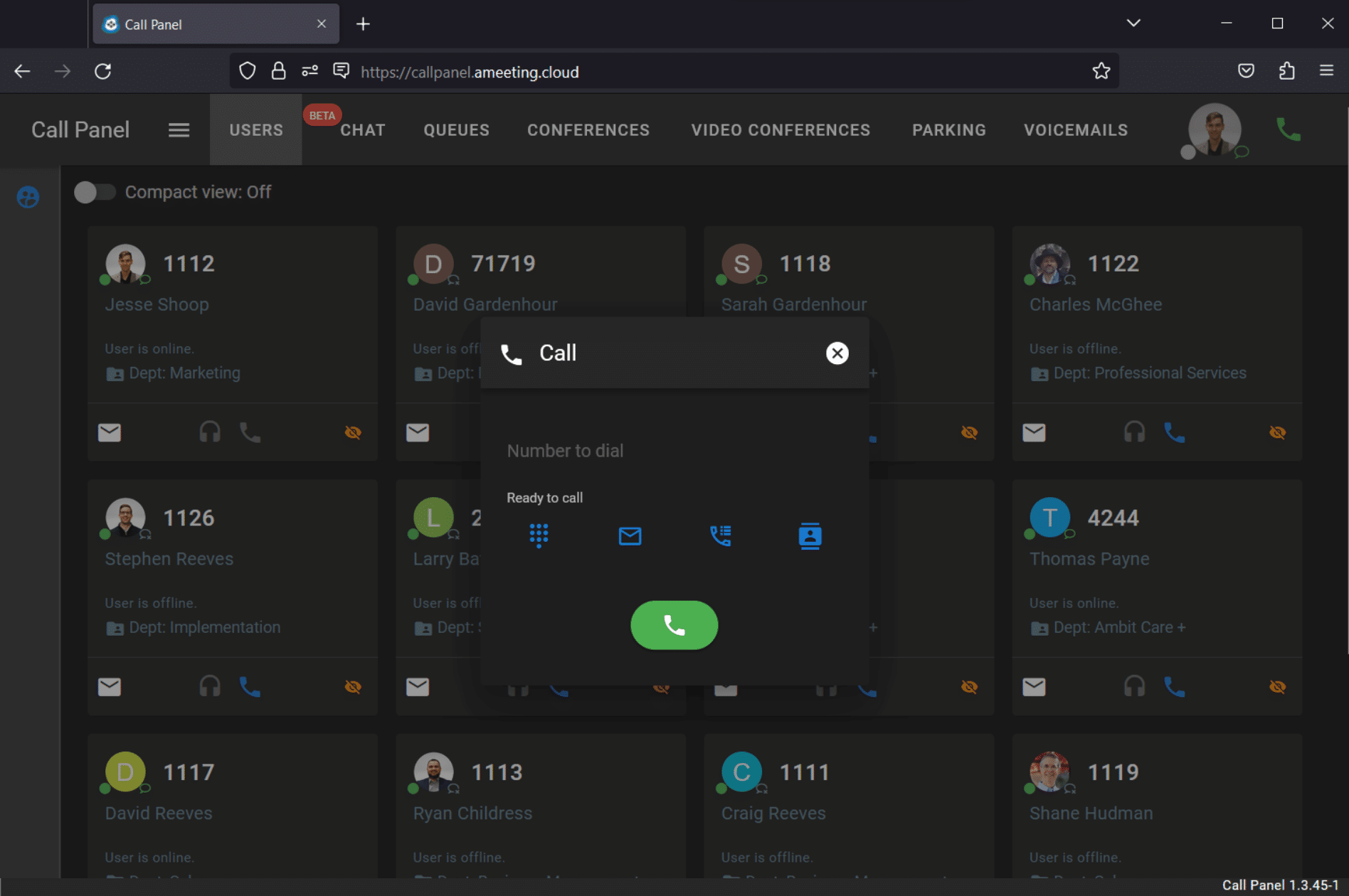
Access voicemail, view call history and collaborate with colleagues from one dashboard, wherever you work.

Ameeting Unified Communications Voicemail

Voicemail administration

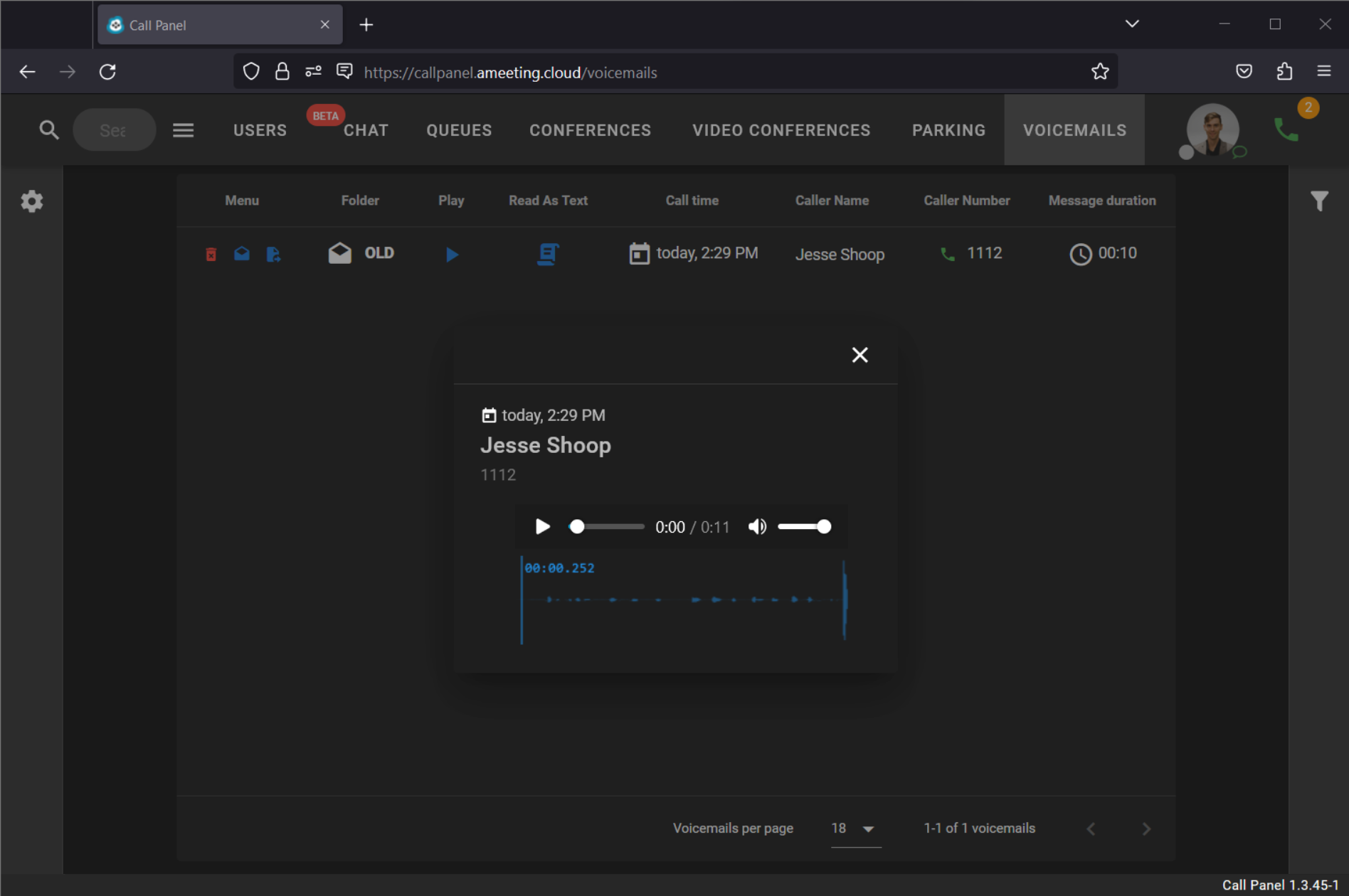
Manage greetings, messages, options and settings, and customize professional messaging that helps you stand out to callers.

Ameeting Unified Communications Setup

Easy setup and control

User settings such as call forward, follow me, do not disturb and call waiting put control in each person’s hands.

Ameeting Unified Communications Call Parking

Call parking

Hold calls in a parking lot inside the call panel and let any extension retrieve them from its slot. Drag and drop manages multiple incoming calls.

Ameeting Unified Communications Chat

Chat

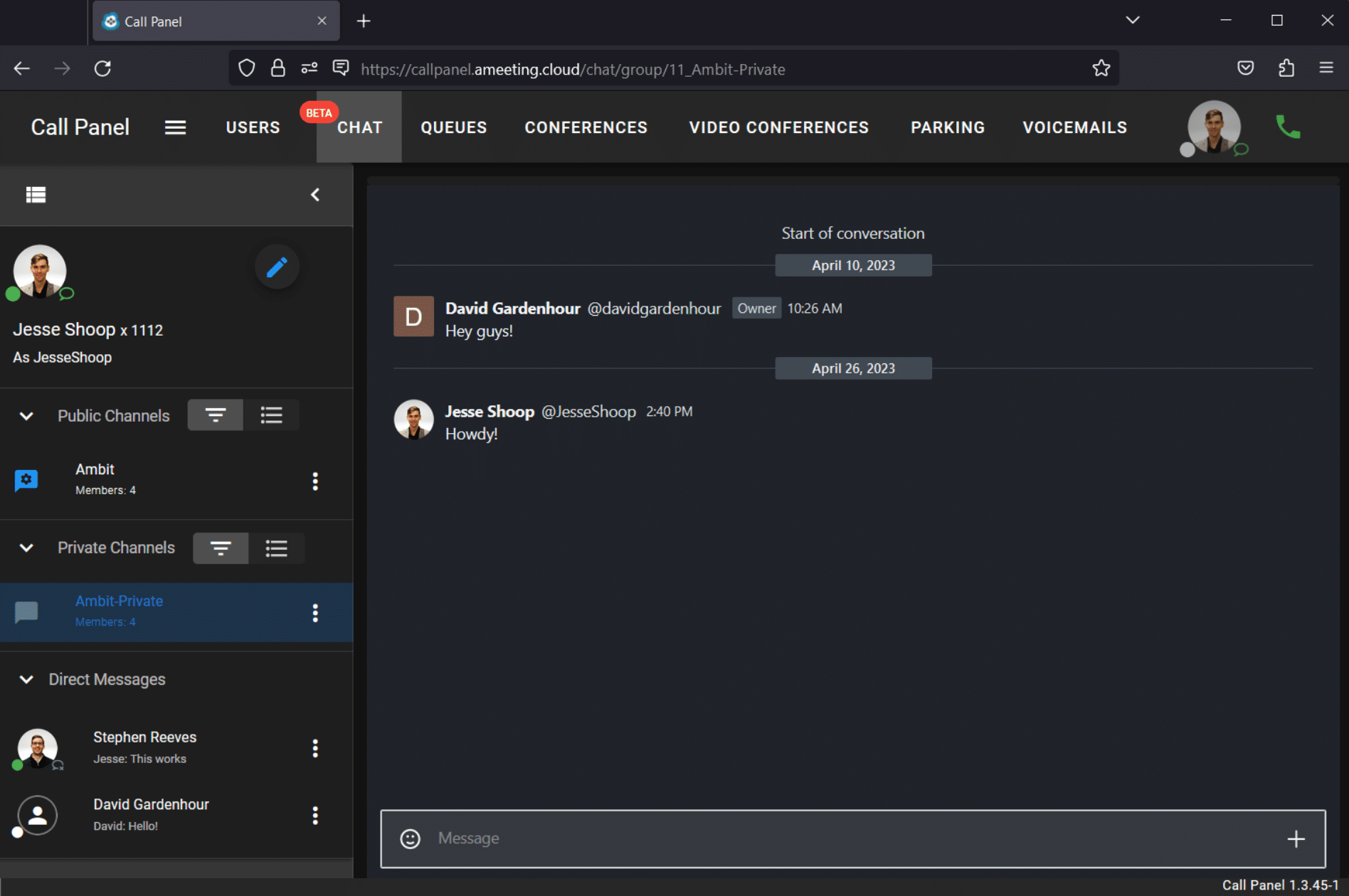
One-on-one and group chats with files and links, so colleagues connect without leaving the call panel.

STAY CONNECTED

Your extension on the go

Ameeting Unified Communications Smartphone App

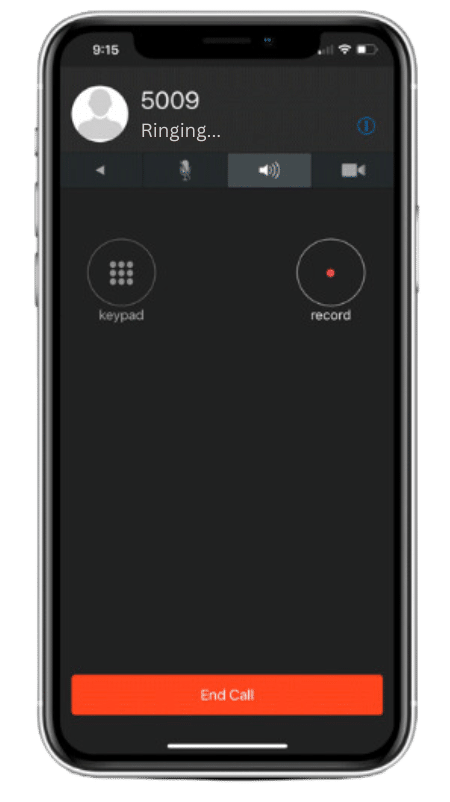
Mobility. The mobile app gives you the same performance and connection as your desktop work phone, on any smartphone or tablet, from anywhere in the world.

Features. Access the VoIP phone system features through an easy-to-use interface, including standard telephony features and customization options.

Convenience. Download the app and take your office phone with you, with no need for call forwarding.

Provisioning. Provision the app from the Ameeting administrative interface and install it on Android or iOS with a QR code or a username and password.

ONBOARDING

Onboarding is quick, and we guide every step

Our team guides you from setup through training. We help port your numbers and configure call flows to match how your organization operates, so your team starts using Ameeting without a long learning curve.

CHOOSING THE RIGHT FIT

How is Ameeting different from our VoIP phone solutions?

At Ambit, every solution is tailored to your needs. Many organizations need only a modern VoIP phone system. Others need voice, video and messaging in one place.

Call routing, auto attendants and voicemail-to-email. Cost-effective and reliable when you do not need video meetings or team chat.

Ameeting UCaaS

Voice plus video conferencing, messaging, desktop and mobile softphones, collaboration tools and call analytics, all in one platform. Built for teams that need more than phone calls to stay connected.

With Ambit, you do not pay for features you will not use. Whether you need a streamlined phone system or the full suite of unified communications, we deliver the right solution and scale with you as your needs grow.

PART OF ONE CARRIER

Ameeting runs on Ambit’s network

Pair Ameeting with SIP trunking, add cellular failover so desk phones keep working when the internet does not, or compare VoIP phone systems.

Ambit also serves cities and counties, higher education, healthcare, financial institutions and K-12 schools, with the same carrier and the same support. See how one vendor works.

AMEETING

Frequently asked questions

Straight answers for IT directors and business owners.

What is UCaaS?

Unified Communications as a Service combines voice, video, chat, screen sharing and collaboration tools in one hosted platform that your provider manages.

Ameeting is Ambit’s fully managed UCaaS platform, with 100+ features including call routing, voicemail-to-email, video conferencing, chat, a call panel, queue dashboards and mobile softphones.

A VoIP phone system covers calling features such as call routing, auto attendants and voicemail-to-email. Ameeting adds video conferencing, messaging, desktop and mobile softphones, collaboration tools and call analytics.

Yes. We help port your numbers and configure call flows to match how you operate.

Ameeting is hosted off-site with redundancy, so the platform stays online. Staff using the mobile app stay reachable over cellular, and Ambit’s cellular failover keeps desk phones making outbound calls.

From five users to five hundred. Add users, conference rooms and call queues in a few clicks, with no hardware upgrades.

LET’S TALK

Build the communication system your team deserves

Schedule a free consultation and we will walk you through Ameeting.

Learn more about Ameeting
Get a closer look at the features and benefits of our innovative video conferencing and collaboration platform. Learn how Ameeting can transform the way you communicate and collaborate with your team, no matter where you are located.
Download PDF
